
Product / Data sources
Data sourcesData sources: answers with this customer's details
ReplyPen starts with your past emails and your website. Once we connect your tools with you, a draft can include this customer's order, invoice or booking. ReplyPen only reads; it never changes anything there.
-

“Where is my order?”
The draft saysYour order #4821 left our warehouse yesterday. Track it here: tracking link.
From Shopify
-

“Can I get my invoice?”
The draft saysHere is your invoice for October: invoice link.
From Stripe
-

“Can I move my appointment?”
The draft saysYou're booked for Thursday 10:00. Pick a new time here: reschedule link.
From Calendly
-

“Can we add three more seats?”
The draft saysYou're on the Growth plan with 12 seats. Three more come to €45 a month.
From HubSpot
Which sources does ReplyPen start with?
Your mailbox and your website. Help center articles you add with Add or update knowledge, below.
ReplyPen reads the replies you have already sent and the public pages of your website. Data sources lists both, with how many past emails it read.
Which tools can you connect?
A connected tool lets ReplyPen look up this customer’s order, payment or booking when an email comes in. During setup you pick the tools you use, and Data sources shows them. Connecting them yourself is not available yet: email support@replypen.com and we connect them with you.
Shopify WooCommerceStripe
 MollieHubSpot
 PipedriveCalendly
 Zendesk
 Intercom
 Help Scout
 Freshdesk
 Notion
 Google Drive
 GitHub
Using a tool that is not listed? Tell us at info@replypen.com.
Can a draft link to an order or appointment?
Yes. With a tool connected, a draft shares the direct link this customer needs: the tracking link of their order, their invoice, or a link to move their appointment. Your Always and Never instructions decide when, for example “Always share the tracking link when an order is late” or “Never send an invoice link to someone who is not the buyer”.
Who decides what each tool can see?
You. Only the tools you choose are connected, each with read access to what a reply needs, and nothing else. The keys are stored encrypted and never shown to the AI. Changing data in a tool is not something a connection can do; that is what Actions, coming soon, are for, and only after you confirm.
Can you add documents that are not on your website?
Yes. On Data sources, click Add or update knowledge and share a web page or a public document link, or paste the text. ReplyPen shows the changes it proposes, and nothing is saved until you approve them. Uploading files is not available yet.
Can a software company connect its code base?
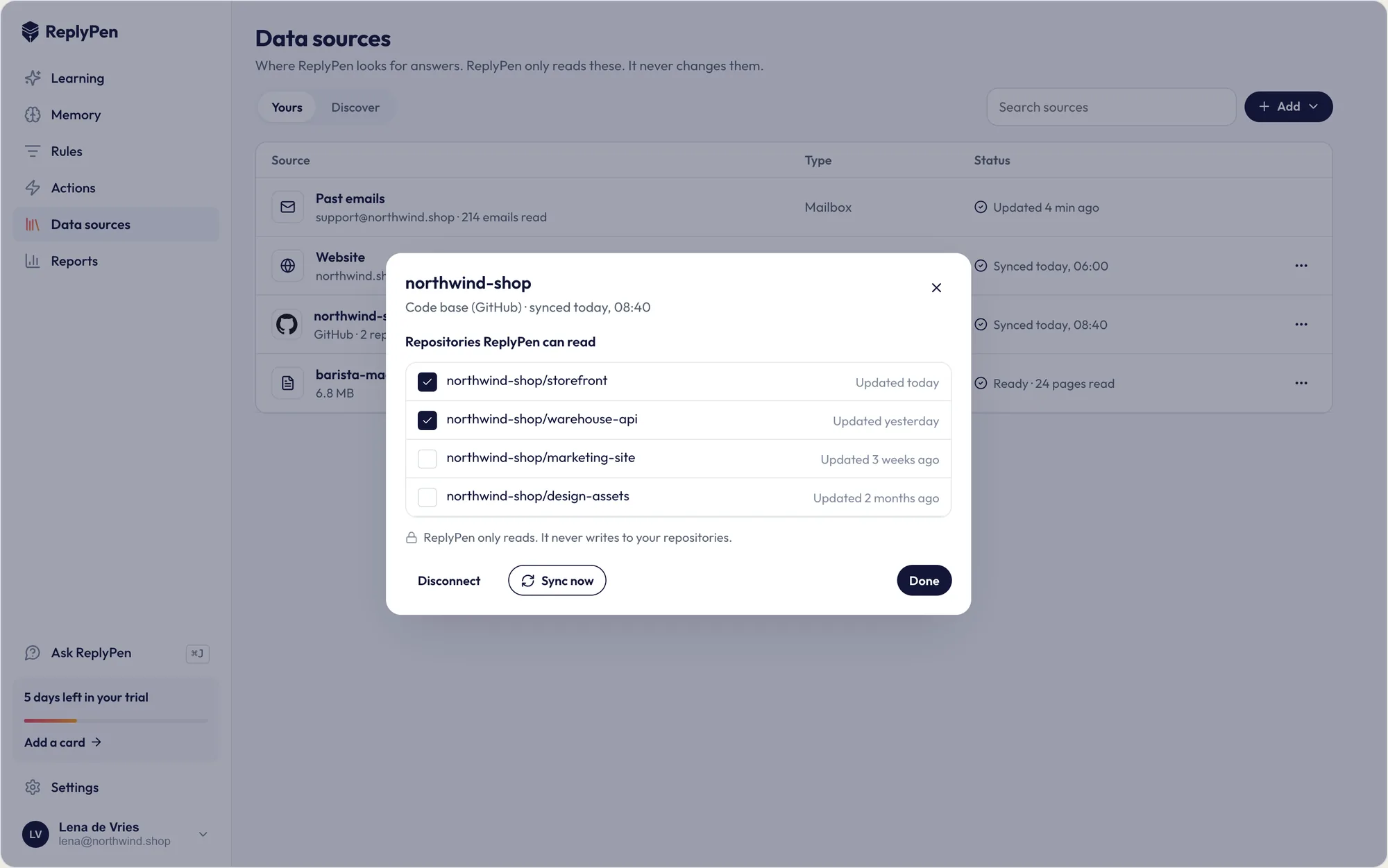
Yes. We connect GitHub with you and ReplyPen can read your code base, so it can answer technical questions. Access is read-only. More in support answers grounded in your code base.
Questions
Can ReplyPen change my data?
No. Connections are read-only. Changing data is what Actions, coming soon, will do, and only after you confirm.
How fresh is the data?
Connected tools are looked up when an email comes in. Your website is read when you add it during setup.
Do I have to connect tools?
No. Past emails and your website are enough to start.
Answer your customers well, in less time.
Connect Gmail and add your website. ReplyPen drafts its first reply within minutes and shows which source it used.
Start your free trialLast updated November 2026