
Product / Rules
RulesRules: which emails get a draft
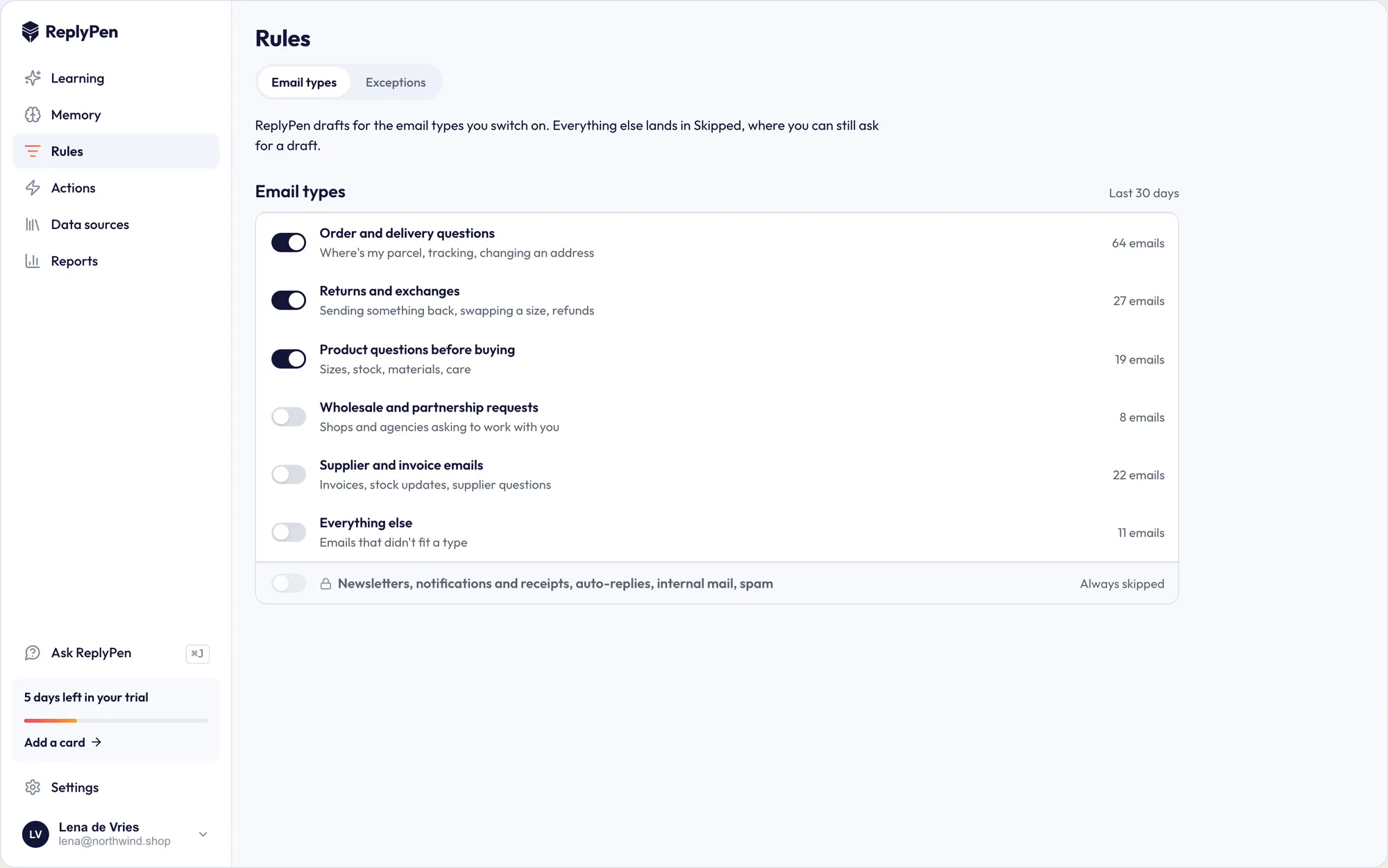
Tick the kinds of email that get a draft, then add exceptions for a sender, a domain, a subject or words in the body.
How does ReplyPen sort your inbox?
During setup ReplyPen scans your inbox and sorts the email you answer into types, named the way your business talks: order and delivery questions, returns and exchanges, questions before buying, wholesale requests. You tick the types that should get a draft, so automated drafts appear precisely for the emails you want, and the rest stays in your inbox as it is.
Change your mind later? Switch a type on or off under Rules, Email types.
What happens before I add any rules?
Every account starts draft-only. ReplyPen writes drafts for the email types you picked during setup, and nothing is sent until you send it.
Newsletters, notifications and receipts, auto-replies, internal mail and spam are always skipped.
How do exceptions work?
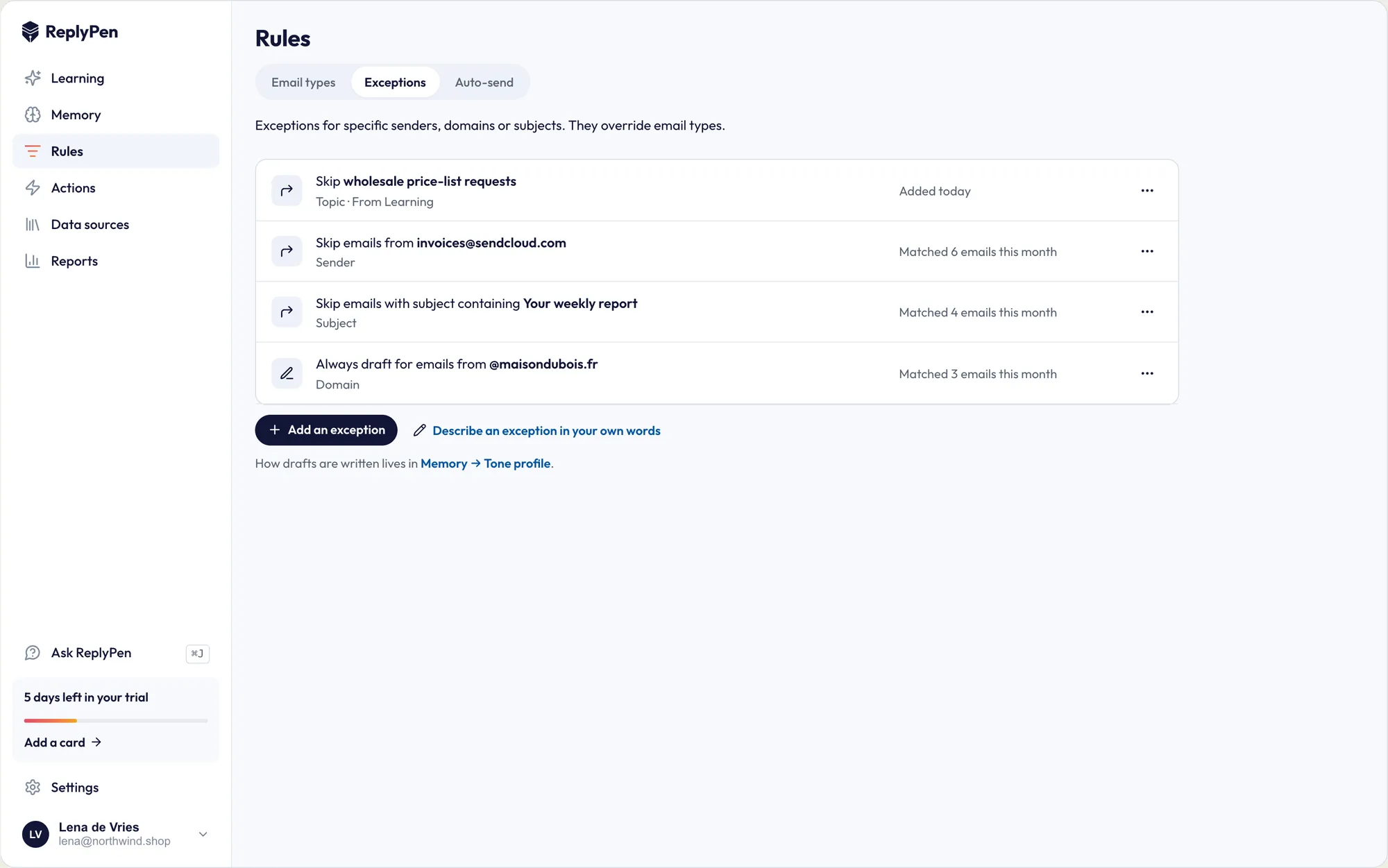
Exceptions override email types. Skip, or always draft for, a sender, a domain, a subject or words in the body.
Each exception shows how often it matched this month.
What can a Rule not match on?
A Rule matches what is in the email, not what ReplyPen knows about the person. “Existing customers” or “angry customers” are not things a Rule can match. For a group of customers, match their domains or addresses; for a topic, match the words customers use for it.
Which exceptions should you start with?
None. Add one when you notice a pattern. The usual first ones: skip a supplier or tool that sends updates the automatic skips miss; always draft for your largest customers’ domains; always draft email that mentions “refund”, “cancel” or “complaint”.
What about auto-send?
Not today. Every reply stays a draft until you send it. You decide which emails get a draft; how a draft reads is set in Memory, with Always and Never instructions.
What about Actions?
Coming soon: a refund, an address change or a moved appointment, prepared under the draft for you to confirm.
Questions
Do Rules decide what the draft says?
No. Rules decide which emails get a draft. What a draft says comes from Memory and your Data sources.
What happens to skipped emails?
They stay in your inbox as normal. In the add-on, Not drafted lets you ask for a draft anyway.
How do I see whether my Rules work?
Each exception shows how many emails it matched this month.
Answer your customers well, in less time.
Every customer email that needs a reply gets a draft you read and send. Add an exception when you notice a pattern.
Start your free trialLast updated November 2026