
Product / Learning and Memory
Learning and MemoryLearning and Memory: how ReplyPen keeps learning, and what it knows
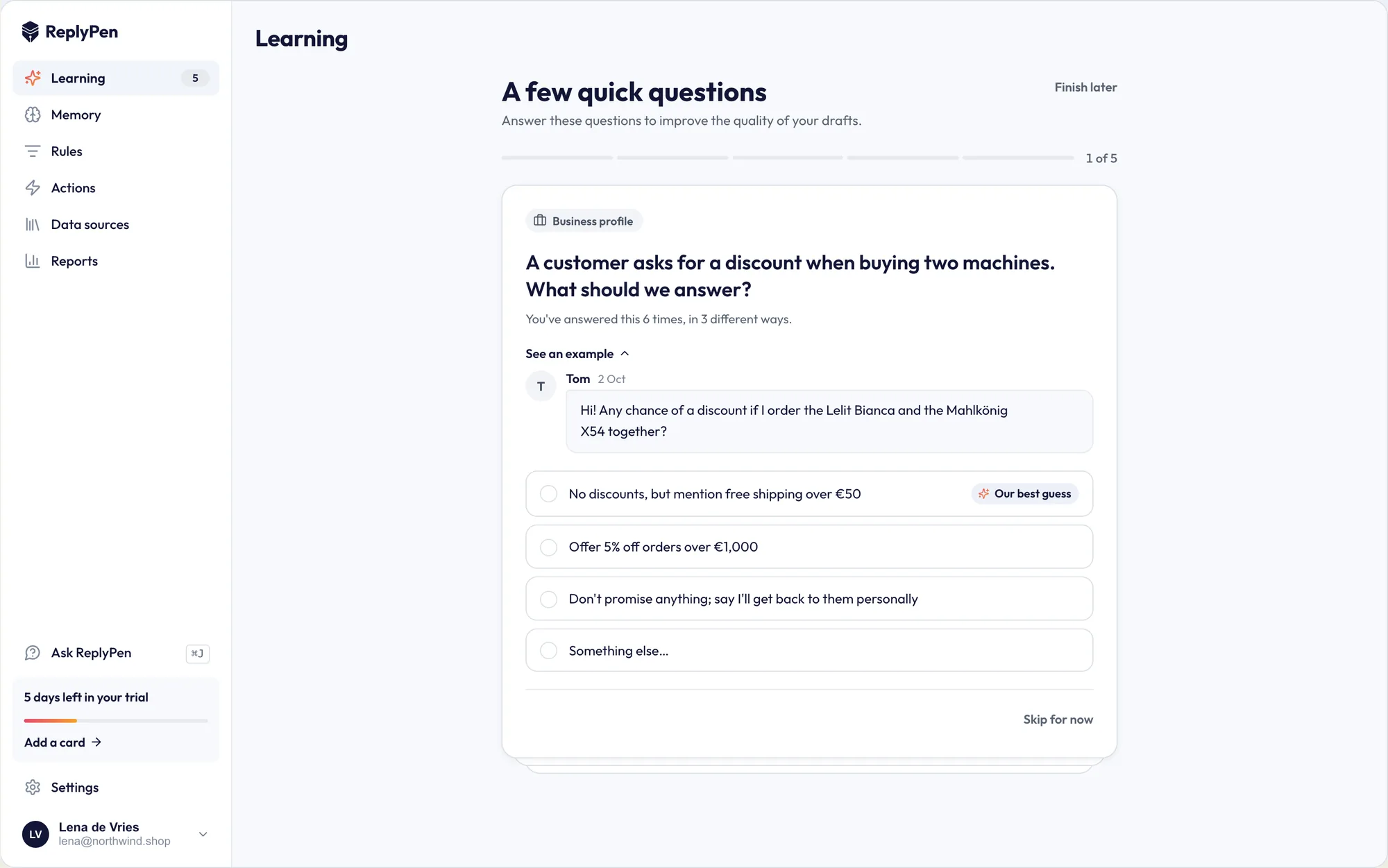
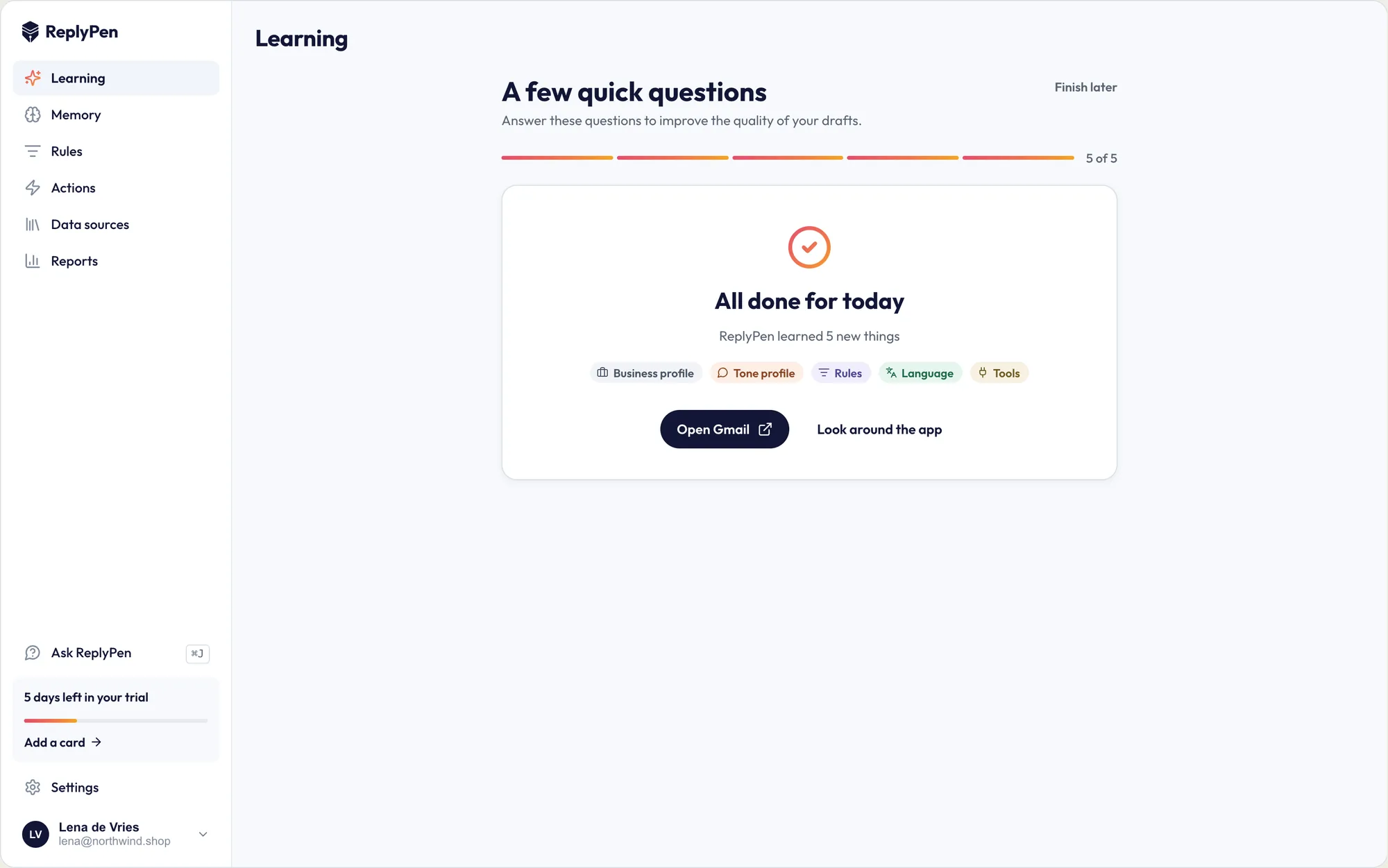
Learning keeps ReplyPen up to date: a few quick questions, each with its best guess already marked. Every answer lands in Memory, everything ReplyPen uses to write your drafts, in plain sentences you can read and change.
How does ReplyPen learn your tone?
During setup ReplyPen reads deep into your inbox history: up to 2,000 past emails, with the replies you actually sent. Together with your website and help center, that gives a detailed Tone profile: how formal you are, how you open and close, how long you write, what you always mention. You check it before the first draft, and every draft after that is written in it.
What is a Learning card?
A Learning card asks one question about one thing: a fact about your business or how you write. ReplyPen lists the likely answers and marks its best guess, so most cards take one click.
If none of the answers fit, pick Something else… and type your own. When it helps, the card shows the customer email that raised the question.
Where does an answer go?
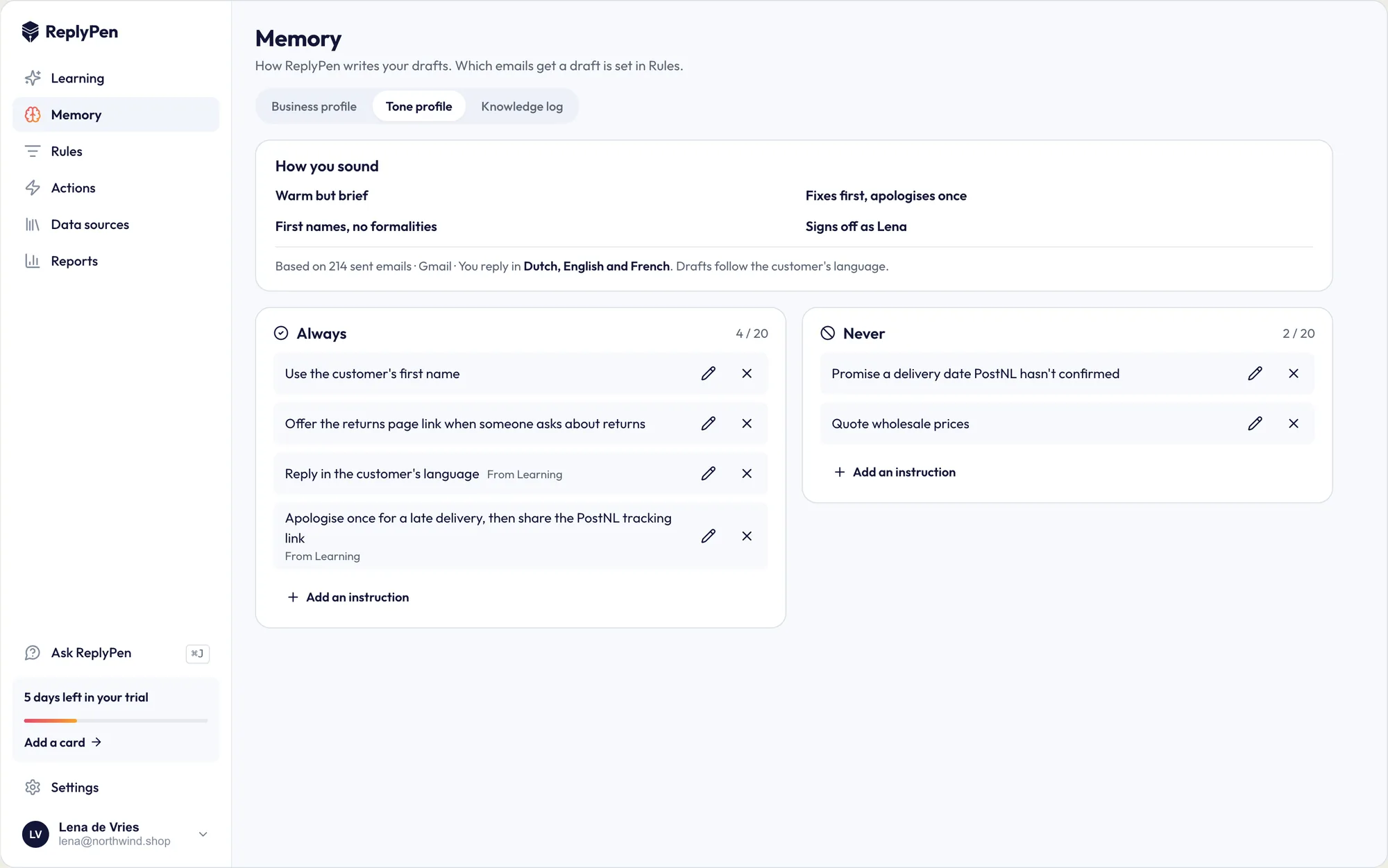
Each answer lands in one place: a fact in your Business profile, or a line in your Tone profile, such as an Always or Never instruction for every draft.
What is in Memory?
Memory has three tabs. The Business profile holds facts about your company, products, shipping and policies, each with where it came from: your website, your emails, a Learning answer, or you.
The Tone profile describes how you sound, based on the emails you have sent, plus two short lists: what drafts should Always do and what they should Never do. Notes holds everything else drafts should know that is not on your website, one page per topic, such as how you handle repairs.
What happens when you edit a draft?
ReplyPen learns from every draft you send: one you sent as it was, one you edited, and one you rewrote yourself. A lesson it keeps seeing becomes part of Memory, so next week’s drafts need fewer fixes. Feedback you send from Gmail shows on the Learning page, under What you told ReplyPen. To make a correction stick right away, update your Business profile, Tone profile or Notes in Memory.
How do you correct something?
Click the pencil on a Business profile card to change or remove its facts, or edit the Always and Never lists in your Tone profile. The next draft uses the new version.
Questions
When do Learning cards arrive?
Up to five right after setup. Skip any card, or finish later.
Is Memory used to train AI models?
No. Memory belongs to your account and is only used to write your drafts. The AI providers we work with are not allowed to train their models on your email.
Can I see why a draft said something?
Yes. The check note under each draft lists the sources it relied on.
Answer your customers well, in less time.
Connect Gmail, add your website, and see how ReplyPen describes your business and your tone before its first draft.
Start your free trialLast updated November 2026